Step 1: Ask your first question
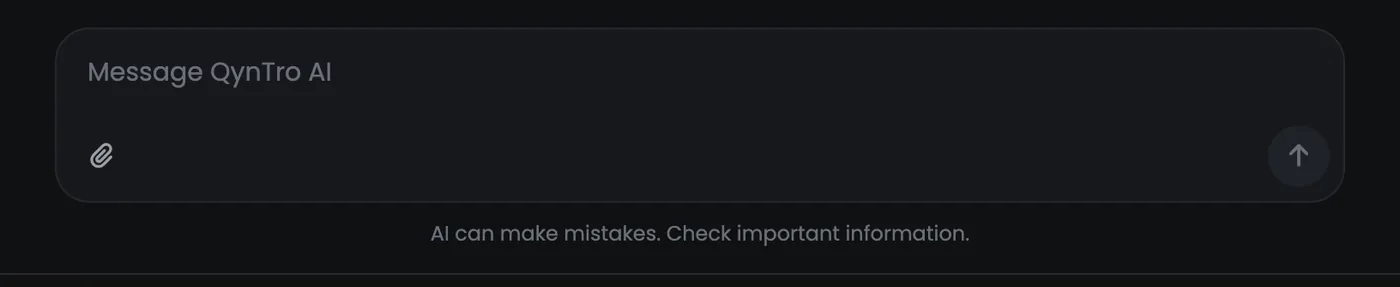
Open AI Chat and type in the box at the bottom. On a computer, Enter sends and Shift + Enter starts a new line; on a phone, use the send arrow.
The reply is written as you watch, with a Stop button beside it. Stop it if the answer is going the wrong way: you pay only for the part that was written.
Follow-up questions remember everything earlier in that chat, the files you attached included, so correct an answer in the same chat rather than starting again.
Step 2: Pick a model
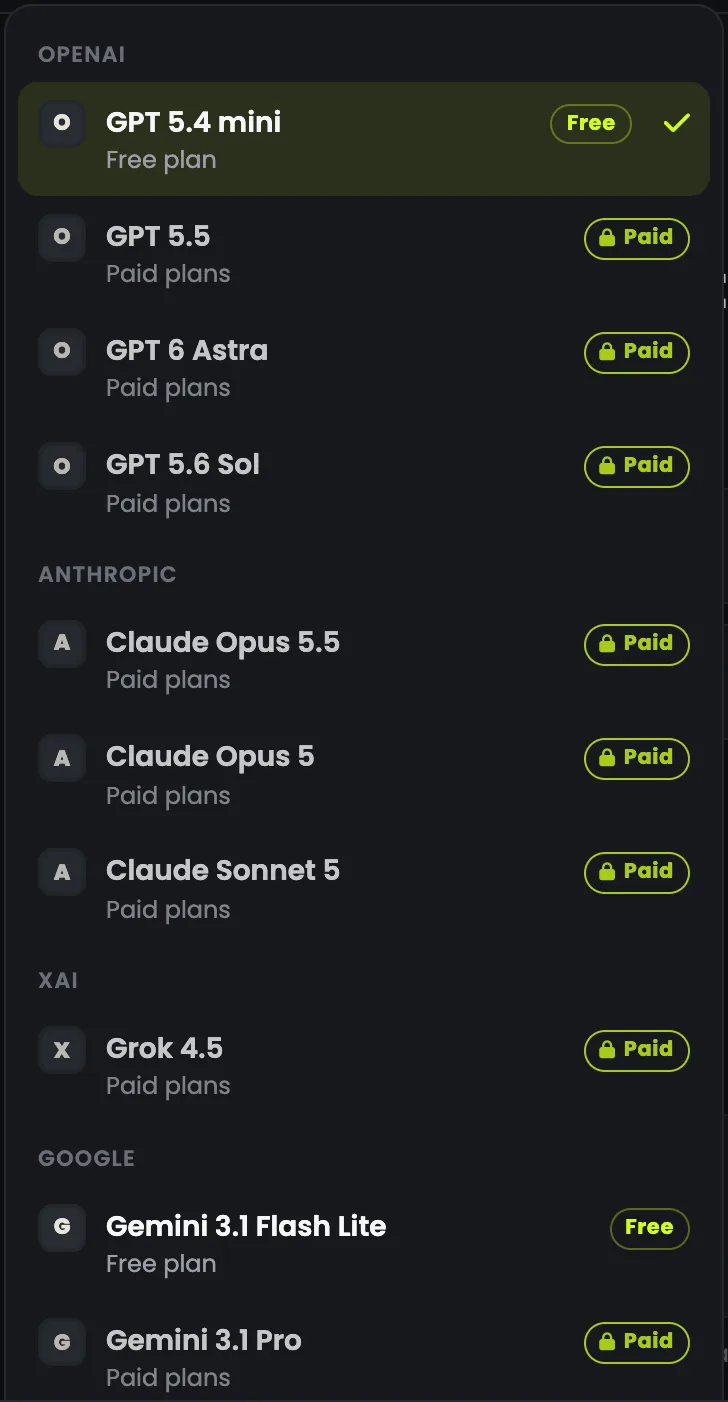
The model you are using sits at the top of the chat, under Select model, grouped by the company that makes it. Each model is marked with what it needs: open to every account, or the plan that opens it.
| Model | Made by | Good for | Opens on |
|---|---|---|---|
| GPT 5.4 Mini | OpenAI | The everyday default: fast, cheap, good at most things | Every account |
| Gemini 3.1 Flash Lite | The cheapest; strong at reading pictures and documents | Every account | |
| Grok 4.5 | xAI | Fast and direct: pulling out data, summarising | BASIC |
| Gemini 3.1 Pro | Harder reasoning over documents and pictures | PLUS | |
| Claude Sonnet 5 | Anthropic | Excellent writing at a sensible price | PLUS |
| Claude Opus 5.5 | Anthropic | Anthropic's newest Opus: reasoning, writing and code | PLUS |
| GPT 5.5 | OpenAI | OpenAI's big model for hard problems | MAX |
| Claude Opus 5 | Anthropic | Careful writing and long documents | MAX |
| GPT 6 Astra | OpenAI | OpenAI's flagship for the hardest reasoning and code | MAX |
| GPT 5.6 Sol | OpenAI | Strong coding and agent work at a lower cost | MAX |
- Start cheap. The small models answer most everyday questions well, and the big ones cost many times more for the same question.
- Switch for a second opinion. Switching keeps the whole conversation and its files, so the next model answers the same question on the same material.
- Move up when the answer needs depth: long documents, careful writing, hard reasoning or code.
Step 3: Attach your files
Press the paperclip, or drop files anywhere on the chat. Each file shows above your message with its size and, for a PDF, its page count.
| What | Free account | Paid plan |
|---|---|---|
| Files a message | 3 | 10 |
| Size of each file | 5 MB | 25 MB |
PDF, Word (.docx), Excel and CSV, PowerPoint (.pptx), pictures (PNG, JPG, WEBP, GIF) and text or code files all work. A scanned PDF with no text is read as pictures of its pages, and photos have their location data removed before they are sent.
Ask a specific question about what you attached: "What are the three biggest risks in this contract?" gets a better answer than "summarise this".

Step 4: Ask for a file back
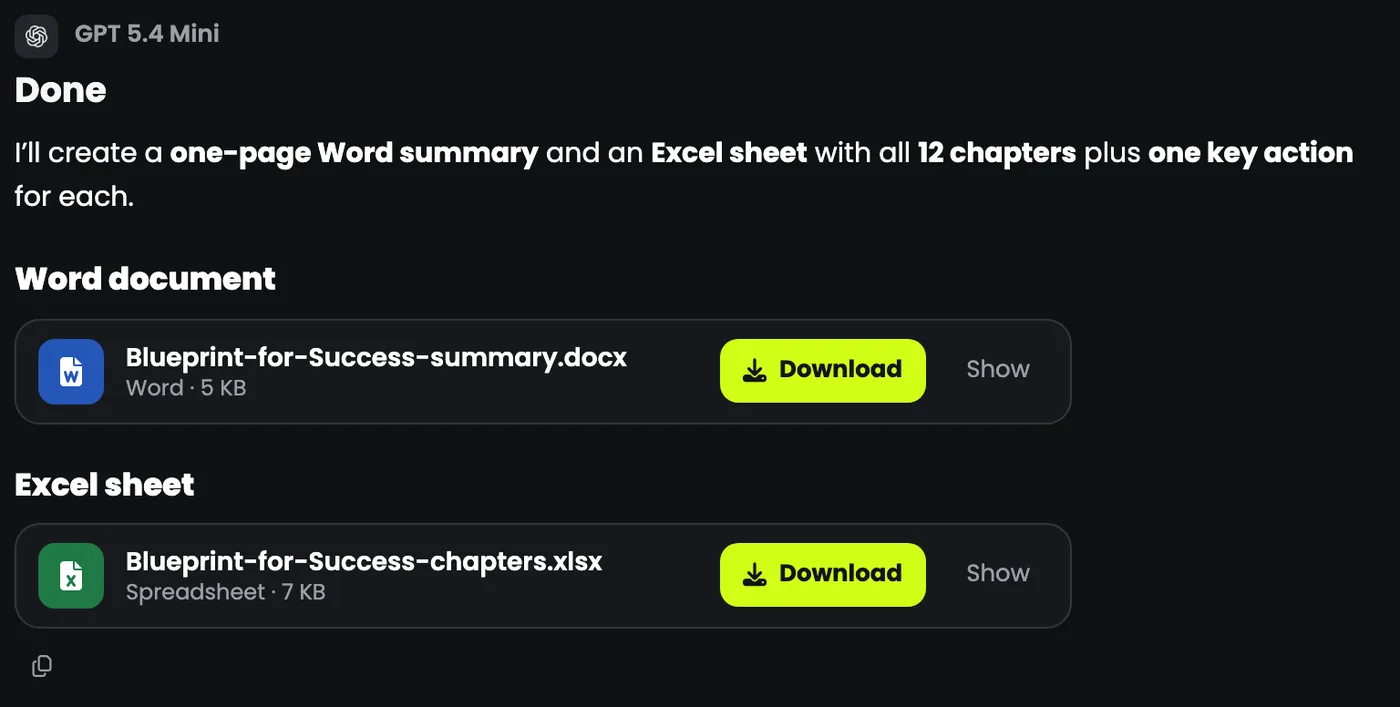
Say the format in your message and the reply comes back as a real file with a download button, not a wall of text to copy out.
- "as a Word document": a .docx with real headings and lists.
- "as a PDF": a typeset .pdf.
- "as an Excel sheet": an .xlsx with a header row and numbers as numbers.
- "as a CSV", or a text or code file.
Turn this book into a one-page summary as a Word document, and make an Excel sheet with all 12 chapters and one key action for each.
Up to five files can come back in one reply. Download the ones you want to keep: files are removed after a time that depends on your plan.
Step 5: Keep your chats tidy, and cheap
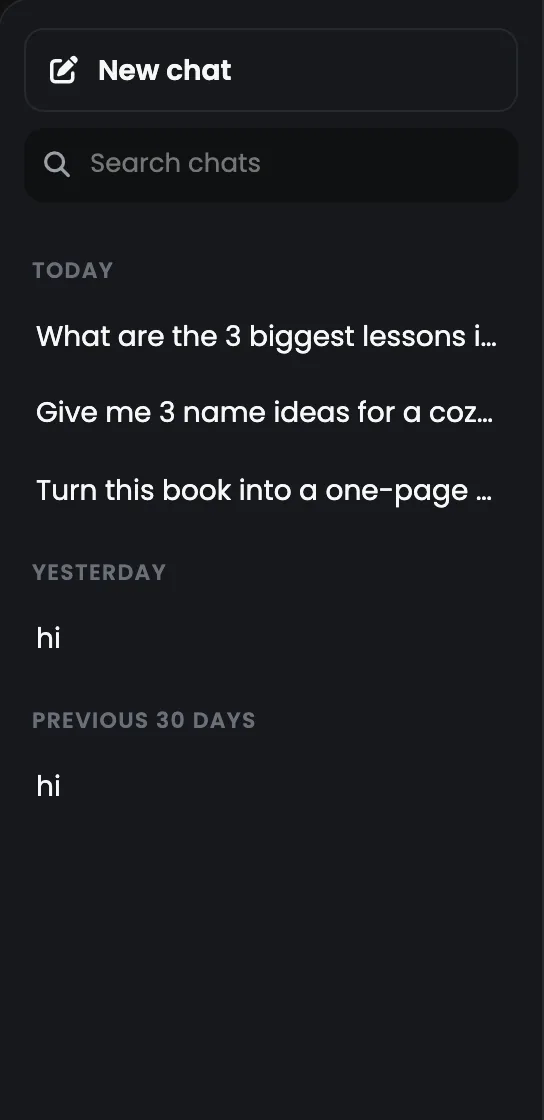
Every chat is saved as you go, in the list on the left, grouped by date. The search box finds an old one by what you asked; hover a chat to rename or delete it.
Start a New chat when you change subject. The whole conversation is sent with every message, so a fresh chat for a fresh subject is the simplest way to keep the cost down.
Four habits for better answers
- Say who it is for. "Explain this to a customer who is not technical" gives a better answer than "explain this".
- Say how long. "In three bullet points." "In 50 words." Models follow length well.
- Show what good looks like. Paste a paragraph in the style you want and ask for more like it.
- Correct it in the same chat. "Too formal: say it the way you would out loud" beats starting again.