Image Canvas

Design it once.
Get every size.

Posters, posts, Stories and thumbnails that look premium - made in your browser. Start from a template, change the words and pictures, then resize for every platform in one click.

Free to start. No card required.

  • Ready-made templates
  • Hindi and English text
  • One-click resize
  • PNG · JPG · WEBP · PDF
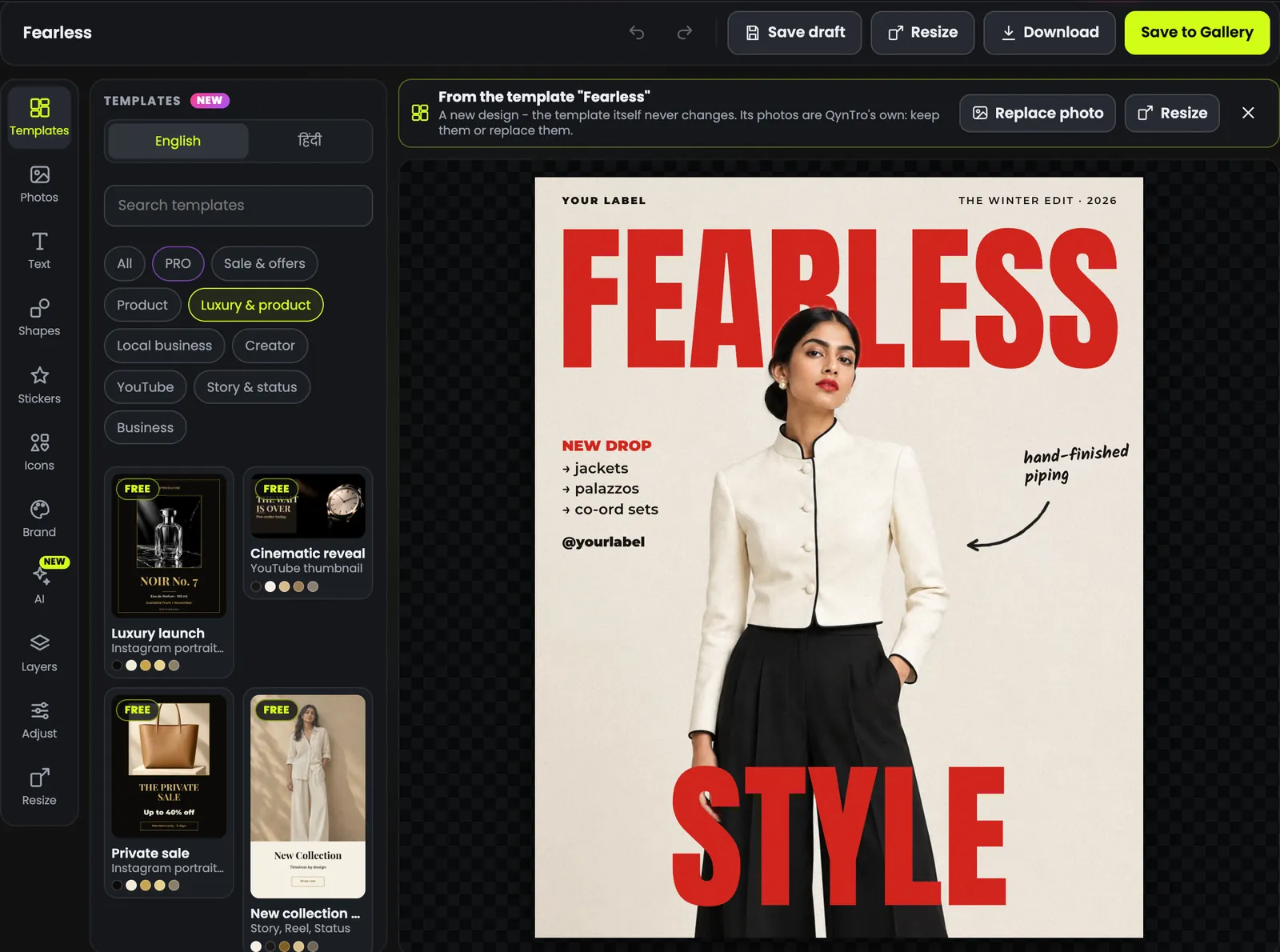
The Image Canvas editor with the Templates panel open on luxury and product templates, and a fashion poster on the canvas

Templates

Start from a design that already works.

Sale posts, product launches, menus, thumbnails, Stories and invites - in English and Hindi. Every photo in them is QynTro's own: keep it, or put yours in its place.

Aurum - jewellery magazine cover
Just in - new collection post
Fearless - fashion drop poster
Birthday wishes post
A day in my life - creator post
Buy 1 get 1 free - candle offer
Nazar - menswear magazine cover
Monolith - perfume launch poster
Save the date - wedding invite
Photo dump - travel memories
Now open - shop opening
Now Open - store opening
48 hours in Jaipur - travel story
The Saree Edit - coming soon
Loved it - customer review
Fitness club - membership offer
Noir No. 7 - fragrance launch
Wedding invitation
The Wedding Collection - jewellery
End of season sale - ethnic wear
Glow up this week - salon offer
48 hours only - flash sale
Monsoon reads - book post
End of season sale - menswear
  • Free templates for everyone
  • PRO templates with any plan or credit pack

AI tools

Watch the AI do the work.

Each tool below is playing the way it works in the editor.

Make layers

One flat picture in. Pieces you can move out.

The AI splits a finished picture into its parts - each one a layer you can move, resize or hide - and turns the words in it into text you can edit.

  • The main objects each on a layer of their own
  • Words become text you can retype and restyle
  • Move, resize or hide any piece, like any design
  • With any plan or credit pack
  • Uses credits

Remove background

Cut the subject out. Put it on any design.

One click takes the background away and leaves a clean cut-out you can move, resize and place on a new design.

  • Uses credits

Magic edit

Type the change. The picture follows.

Write what you want added, changed or taken away, and the AI edits the picture to match.

  • With any plan or credit pack
  • Uses credits

Magic brush

Paint over it. It's gone.

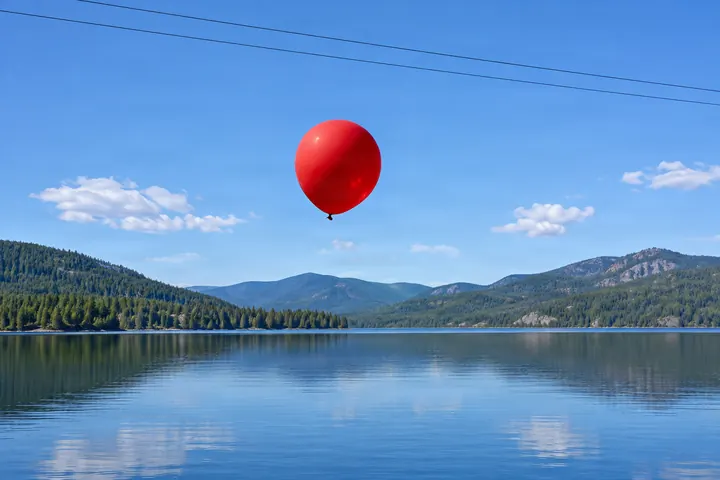
Brush over something you don't want - a bag, a sign, a wire - and the AI removes it and fills in the space.

  • Uses credits

Magic select

Pick a spot. Say what goes there.

Paint over part of a picture - or type what it is - say what goes there, and only that part changes.

  • With any plan or credit pack
  • Uses credits

AI upscale

Small picture? Make it big and sharp.

Get a bigger, sharper copy of a picture - for print, banners and big screens.

  • Uses credits

AI element

Describe it. Drop it in.

Type an object and the AI makes it with a see-through background, ready to place on your design.

  • Uses credits

Inside the editor

Everything a good post needs. Nothing it doesn't.

Text

Words that look designed

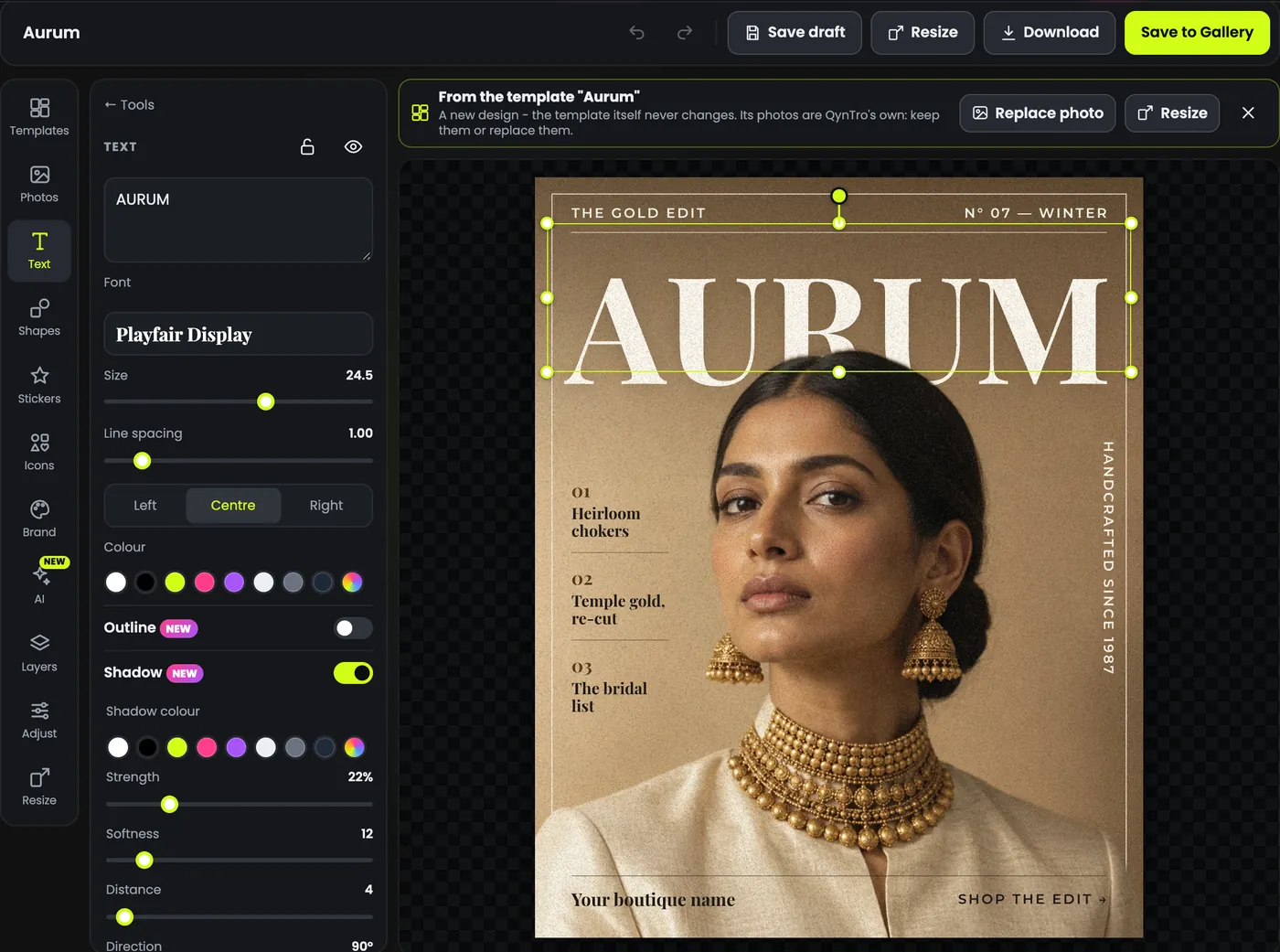
Pick a style, type your words, and the rest is done: fonts that suit headlines, outlines, shadows and glow, curved text and highlights.

  • Hindi that joins up right - on screen and in the download
  • Text styles ready to drop in: headline, big title, glow, gradient
  • Exact control of size, spacing, colour and alignment
  • Free
A magazine cover template with its headline selected and the text settings open: font, size, colour and shadow

AI tools

Let AI do the fiddly bits

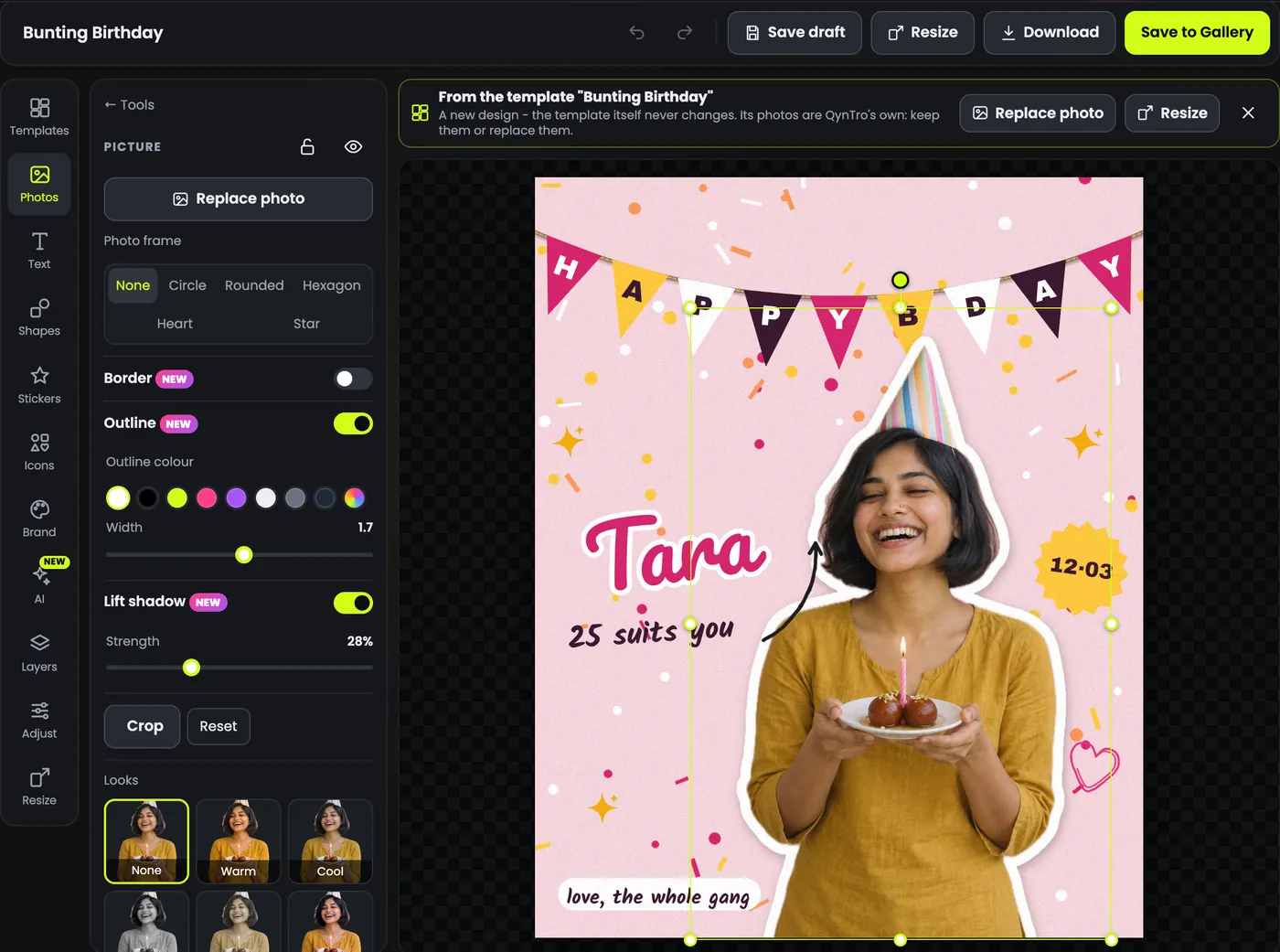
Cut a person or a product out of its background, then give it a sticker outline and a soft shadow. The jobs that used to need a designer are a click away, in the same editor.

  • Remove background - the subject stays, the rest goes
  • Magic edit - type a change and the picture follows
  • AI upscale - a bigger, sharper copy
  • AI element - describe an object, get it as a see-through layer
  • Uses credits
  • Magic edit: plan or credit pack
A birthday post with its cut-out photo selected: photo frames, a white sticker outline, a soft shadow and looks

Resize

One design. Every platform.

Pick the sizes you need and get a copy laid out for each one - post, Story, cover, thumbnail or print. Your original stays exactly as it is.

  • Social - Instagram post and portrait, Story, Reel and status, Facebook post and cover
  • YouTube and banners - thumbnails, HD and wide banners
  • Print - A4 flyer, visiting card, or your own size
  • Free
The Resize panel listing sizes for Instagram, Stories, Facebook, YouTube, print and banners, next to a fashion poster

Download

Download it the way you need it

A small JPG for WhatsApp, a crisp PNG for Instagram, a PDF for the printer. Double size when you want it sharper, a see-through background when you need one.

  • PNG, JPG, WEBP or PDF
  • 1x or 2x size, high quality or a smaller file
  • Transparent background in PNG and WEBP
  • Free
The download window: PNG, JPG, WEBP or PDF, normal or double size, a transparent background switch and two quality choices

Layers and brand kit

Full control, and your brand every time

Every piece of a design is its own layer: rename, hide, lock and reorder. Save your logo, colours, fonts and tagline once, and put them on any design.

  • Layers panel - rename, hide, lock, drag to reorder
  • Brand kit - logos, colours, fonts and a tagline, saved to your account
  • Use my brand colours - applied only where the words stay readable
  • Free
The layers panel listing every text, shape and picture layer of a magazine cover design

Also inside

The small things that save you time.

Stickers and emoji

Drop in a sticker or an emoji and size it with one drag.

Shapes and icons

Badges, arrows, lines, boxes and icons in any colour.

Photo frames

Put a picture in a circle, a heart, a star or a hexagon.

Filters and adjust

Looks, brightness, contrast and colour for every photo.

Crop, flip and turn

Frame each picture exactly how you want it.

Undo and redo

Try things freely - one key takes you back.

Drafts and gallery

Save a draft for later, or save the finished picture to your gallery.

Your own photos

Upload from your phone or computer.

PAID

How it works

From idea to post in three steps.

  1. 01

    Pick a start

    A template, a picture you made on QynTro, or a blank canvas in the size you need.

  2. 02

    Make it yours

    Change the words, swap the photo, add your logo, stickers and colours.

  3. 03

    Resize and download

    Make copies for every platform, then download PNG, JPG, WEBP or PDF.

Made for

Shops, creators and brands.

A template for sale and offer posts

Sale and offer posts

Big sale, flat off, buy one get one - ready to post.

A template for product launches

Product launches

Posters that make one product look premium.

A template for youtube thumbnails

YouTube thumbnails

Big words and bold faces, sized for YouTube.

A template for stories and status

Stories and status

Tall designs for Instagram Stories and WhatsApp status.

A template for cafés and food posts

Cafés and food posts

Weekend specials, today's menu, café offers.

A template for wishes and invites

Wishes and invites

Birthdays, save the date, thank you notes.

A template for gyms, classes and local shops

Gyms, classes and local shops

Offers and openings for the business down the road.

A template for fashion and lookbooks

Fashion and lookbooks

Magazine-style covers for a new drop.

Plain and simple

What's free, and what's extra.

Free with an account

The whole editor

  • Free templates, text, stickers, shapes and frames
  • One-click resize into every size
  • Brand kit and layers
  • Every download: PNG, JPG, WEBP, PDF, 2x, transparent
With any plan or credit pack

The extras

  • PRO templates
  • Uploading your own photos and logos
  • Magic edit
  • Magic select
  • Make layers
Uses credits

The AI tools

  • Remove background
  • Magic edit
  • AI upscale
  • AI element
  • Magic brush
  • Magic select
  • Make layers

Questions

Good to know

Is Image Canvas free?

Yes, to start. With a free account you can use the editor, the free templates, text, stickers, shapes, one-click resize, your brand kit and every download format. PRO templates and uploading your own photos need a plan or a credit pack. The AI tools use credits. The editor shows which is which before you use it.

Can I use my own photos?

You can use any picture you made on QynTro straight away. Uploading photos from your phone or computer is for paid plans.

Does it work in Hindi?

Yes. Type Hindi in any font marked Hindi and it looks the same on screen and in the download. The templates come in English and Hindi.

Which sizes can I make?

Instagram posts, portraits and Stories, WhatsApp status, Facebook posts and covers, YouTube thumbnails, HD banners, an A4 flyer and a visiting card for print - or type your own size. Resize makes copies in the new sizes and leaves your original as it is.

Which file types can I download?

PNG, JPG, WEBP, or PDF for print. You can download at double size, and PNG or WEBP with a see-through background.

What do the AI tools do?

Remove background cuts the subject out. Magic edit changes a picture from a sentence you type. AI upscale makes a bigger, sharper copy. AI element makes a new object from a description and adds it as a see-through layer. Magic brush removes what you paint over. Magic select changes only the part of a picture you paint over or name. Make layers splits a finished picture into layers you can move and text you can edit. Each one uses credits. Magic edit, Magic select and Make layers need a plan or a credit pack.

Where are my designs kept?

Save a draft to come back to it later, or Save to Gallery to put the finished picture in your QynTro images, next to everything else you make.

Image Canvas

Your next post starts here.

Open the editor, pick a template and have it ready to post in minutes.

Free to start. No card required.