Step 1: Pick the model first
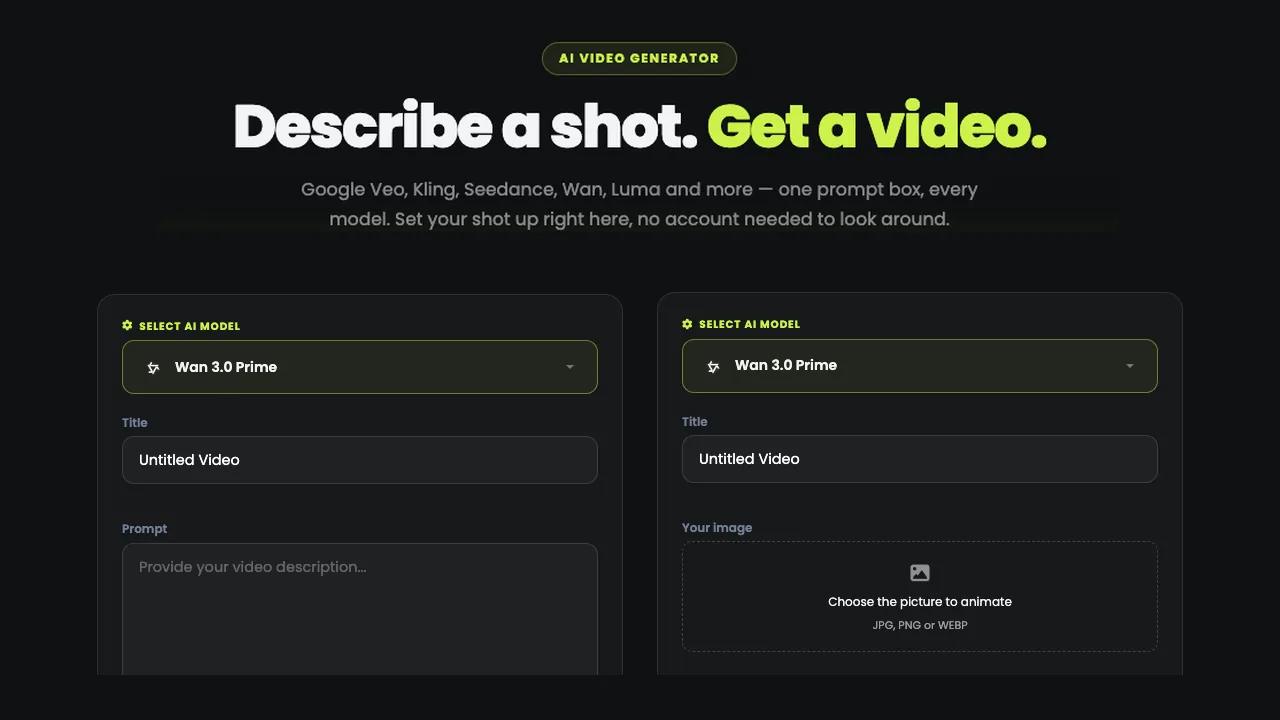
Open AI Cinema Studio and choose the model before anything else: it changes the lengths, the resolutions and even the way you name your references in the prompt.
| Model | Made by | Lengths | Resolutions | From (credits) |
|---|---|---|---|---|
| Wan 3.0 Prime | Alibaba | 5 to 30 s | 480p, 720p, 1080p | 35 |
| Seedance 2.5 Reference | ByteDance | 5 or 10 s | 480p, 720p | 115 |
| MiniMax H3 | MiniMax | 5 to 15 s | 480p, 768p, 2K, 4K | 30 |
The prices are for a 5-second shot at the lowest resolution. Need 30 seconds or 1080p? That is Wan 3.0 Prime. MiniMax H3 takes up to 5 photos, and its 2K and 4K are enlarged from a 768p render.
Step 2: Add your references
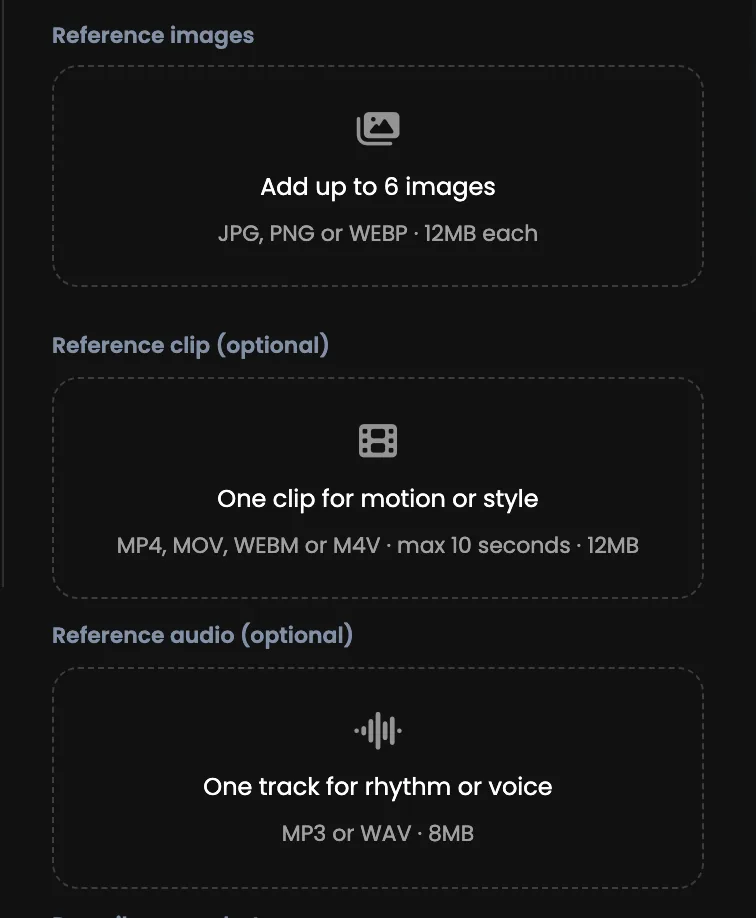
- Photos, the subject: up to 6 (5 on MiniMax H3), JPG, PNG or WEBP, 12 MB each. Your product from a few angles, a face, a place, a style board. Two or three clean photos usually beat six noisy ones.
- One clip, the movement: MP4, MOV, WEBM or M4V, up to 10 seconds and 12 MB, for a camera move or a look you want copied. Trim a longer clip first.
- One audio track, the timing: MP3, WAV, M4A or AAC, up to 8 MB, when the cut has to land on the beat.
You need at least one of the three, not all three.
Step 3: Describe the shot, naming your references
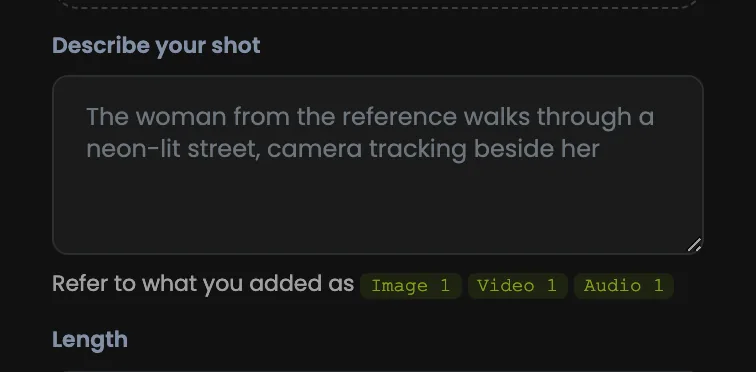
This is what makes Cinema Studio different: your uploads are part of the sentence. "The bottle from Image 1" beats describing a green glass bottle and hoping.
The bottle from Image 1 sits on wet black stone. The camera pushes in slowly, matching the move in Video 1. Golden hour light, shallow depth of field.
The wording depends on the model: Wan 3.0 Prime and MiniMax H3 read Image 1, Video 1 and Audio 1; Seedance 2.5 Reference reads [Image1], [Video1] and [Audio1], in square brackets with no space. Copy what the line under the prompt box shows.
Say what happens, then how the camera moves (push in, pull back, orbit, handheld), then name the references.
Step 4: Set the length, resolution and shape
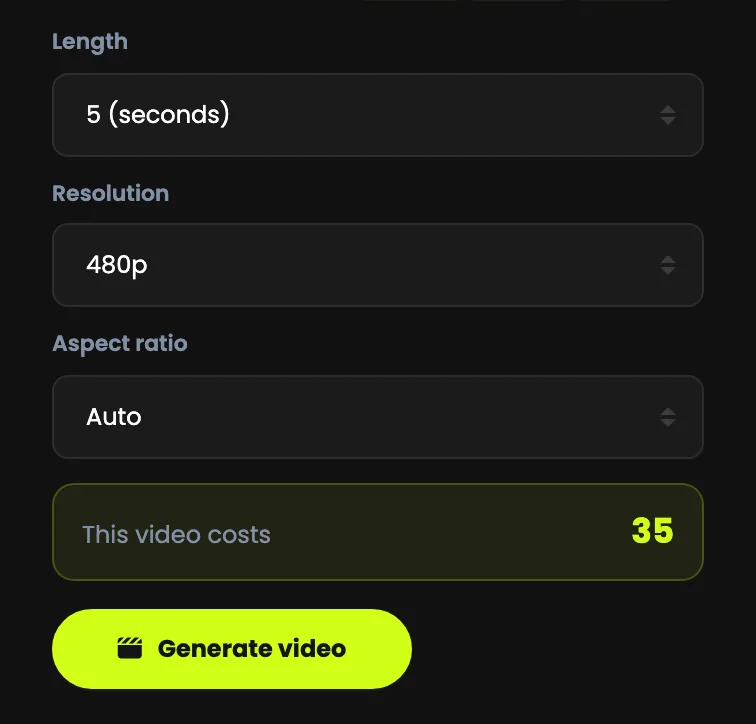
- Length: the options depend on the model.
- Resolution: 480p for quick tests, 720p for social, 1080p when it has to look finished.
- Aspect ratio: Auto, 16:9 for YouTube and websites, 9:16 for Reels, Shorts and TikTok, 1:1, 4:3 or 3:4.
The price shows in This video costs, just above the button, and moves the moment you change the model, the length or the resolution. A 5-second shot at the lowest resolution costs 35 media credits on Wan 3.0 Prime, 115 media credits on Seedance 2.5 Reference (more with a reference clip) and 30 media credits on MiniMax H3; 30 seconds at 1080p on Wan costs 840 media credits.
Step 5: Generate, then come back
Press Generate video. Rendering takes a few minutes on our servers, so you can leave the page: the finished shot appears in the panel on the right, plays in place and is ready to download.
Credits are taken when the render starts, and a render that fails or runs out of time gives them back.
Spend less, get the shot
- Test cheap, finish expensive. Get the shot right at the shortest length and the lowest resolution, then run the prompt you like at full length and 1080p.
- One idea per shot. A 10-second clip holds one action and one camera move; two ideas in one prompt make a muddle.
- Name it, do not describe it. "Image 1" points at your photo; a description invites the model to invent a different one.
- Direct the camera. Without a move you get a static shot.