Step 1: Open UGC Video
Sign in and open Ai Video › UGC Video from the sidebar, or write the ad first on the public UGC Video page and sign in when you are ready to upload the photo. There are three numbered steps on the left, and your finished ads on the right.
Step 2: Choose the photo
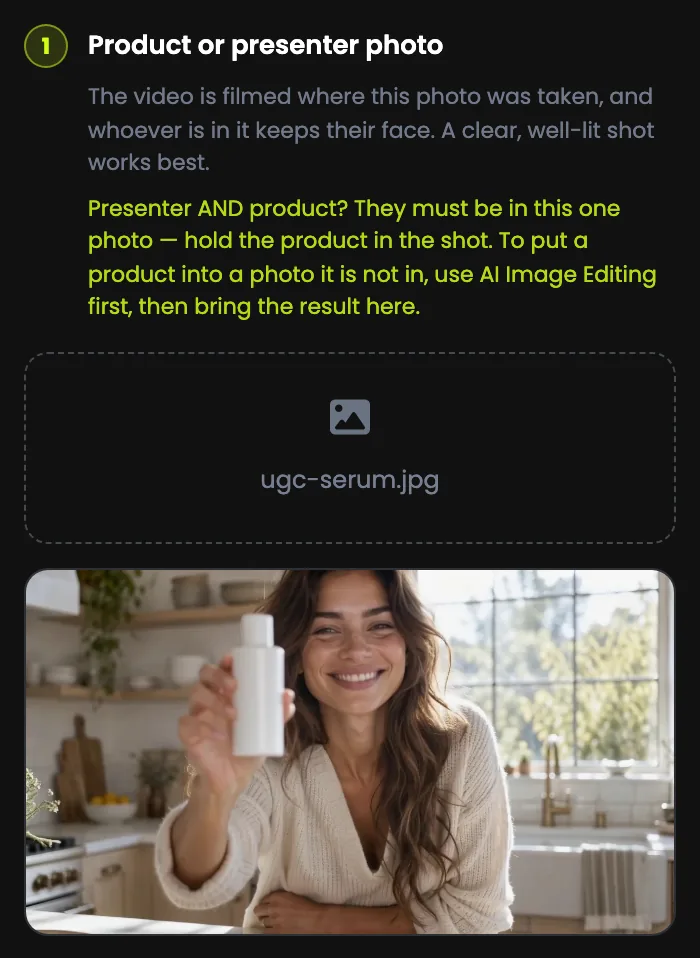
The photo decides the face, the product and the place. The video is filmed where the photo was taken: a photo in a white studio makes an ad in a white studio, and typing "in a kitchen" will not move it.
- The person in the photo is the one who speaks, and they keep their face through the clip.
- Presenter and product? Put both in one photo, ideally with the product in their hand. The tool cannot add a product that is not in the shot; use AI Image Editing first to put it there.
- A sharp photo in soft, even light, with one person facing the camera, works best.
- Keep the person and the product near the middle: a vertical ad is cut from the centre of a wide photo.
Only use a photo of someone who has agreed to it: yourself, your team, a model you hired with permission, or an AI-generated person. Never a celebrity, or anyone who has not agreed.
Step 3: Write what they say
These are the exact words, spoken aloud. About 25 words fit 10 seconds, and 35 to 40 fit 15.
- Write the way people talk: short sentences, one idea each. Read it out loud first.
- Do not over-fill it: too many words for the length sounds rushed, or gets cut off.
- Spell out anything tricky: "twenty percent off", not "20%".
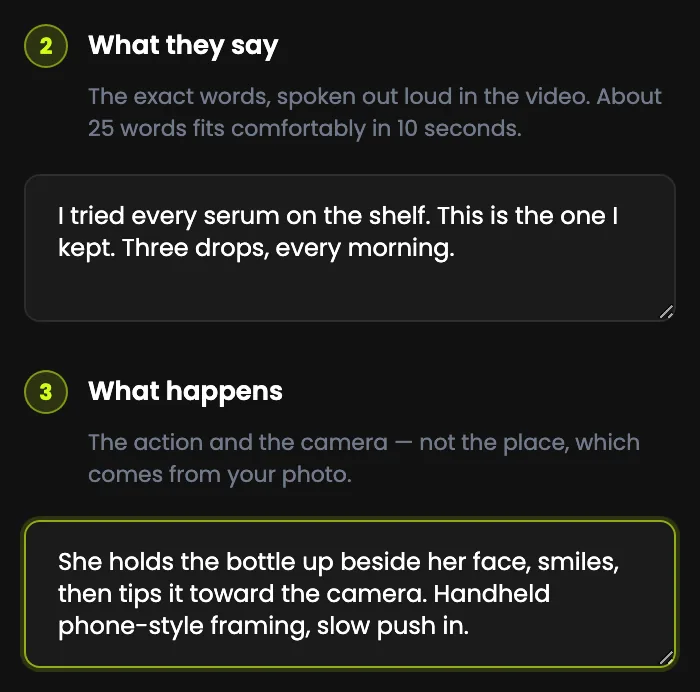
"I tried every serum on the shelf. This is the one I kept. Three drops, every morning." Seventeen words: comfortable for ten seconds.
Step 4: Say what happens
Direct the action and the camera, not the place, which comes from your photo.
- Showing the product: holds up, points to, taps, opens, pours, sips.
- A natural expression: smiles, nods, leans in, laughs.
- The UGC look: handheld phone-style framing, or a selfie angle.
- The camera: a slow push in, a static tripod shot, a slight sway.
"She holds the bottle up beside her face, smiles, then tips it toward the camera. Handheld phone-style framing, slow push in."
Step 5: Set the options, then generate
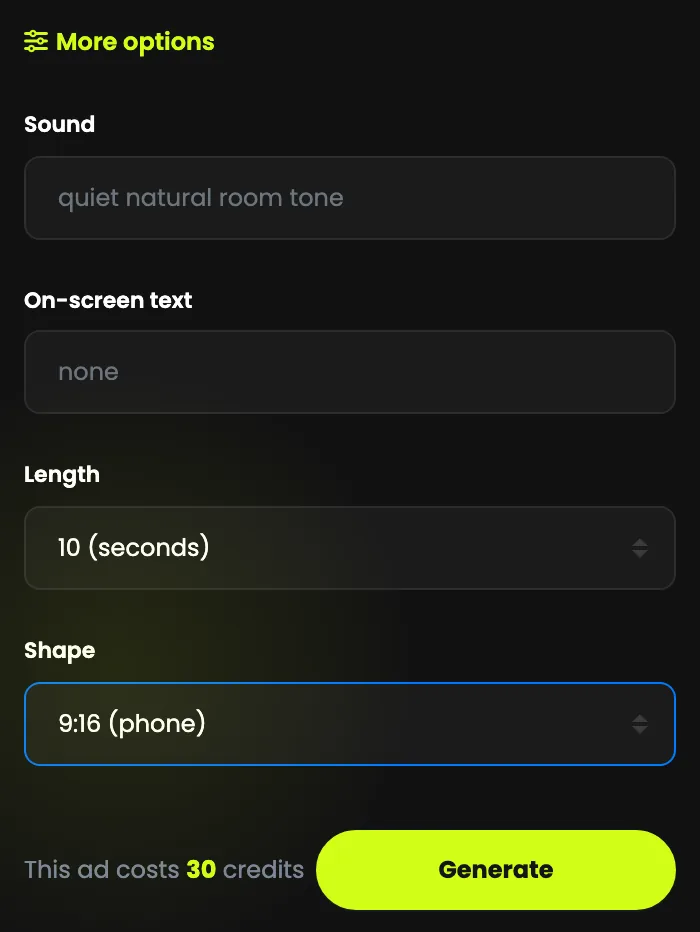
Open More options for four settings with sensible defaults:
- Sound under the voice, such as café chatter or birds outside. The default is a quiet, natural room tone.
- On-screen text, up to 80 characters, such as "20% off this week". Keep it short, or leave it off.
- Length: 10 or 15 seconds.
- Shape: 9:16 for TikTok, Reels, Shorts and Stories, 1:1 for feeds, 16:9 for YouTube and websites.
The line beside Generate shows the cost: 30 media credits for ten seconds, 45 media credits for fifteen. Press Generate: an ad takes a few minutes, and you can close the page. If an ad cannot be made, your credits come back automatically.
Step 6: Check it with the sound on, then use it
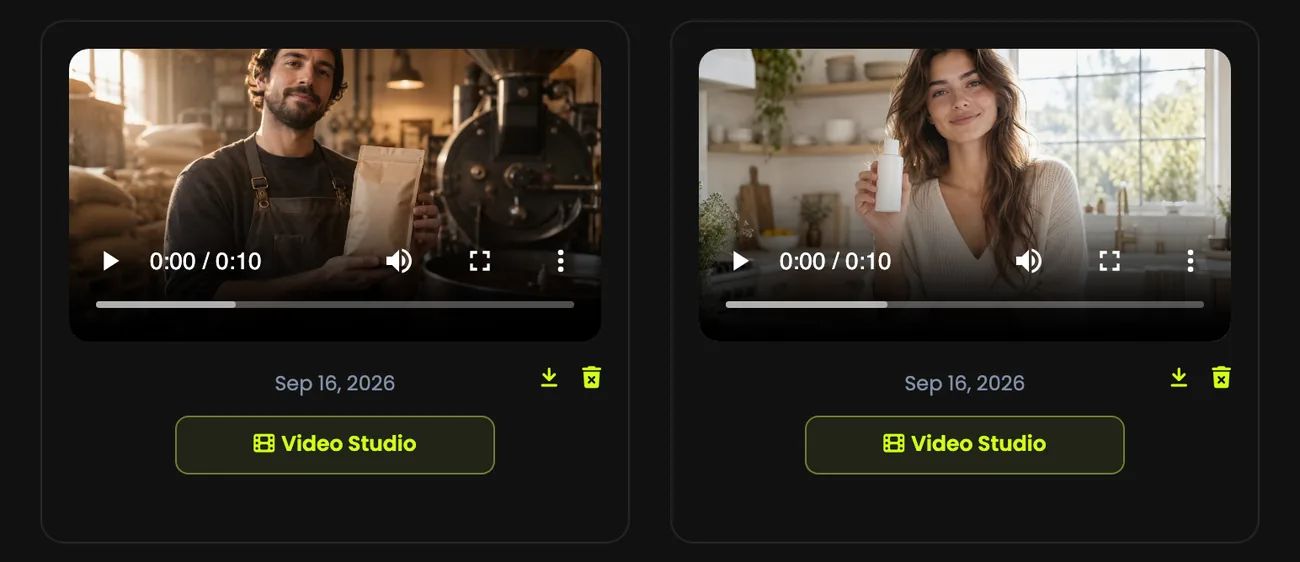
The voice is the point: watch every ad with the sound on, and check the words, the timing and the lips before you use it. Then download the MP4 for your ad account, or open it in Video Studio to trim it or join it with other clips.
Writing an ad that works
- Hook in the first sentence. Open with a problem, a surprise or a result: "I stopped buying coffee from the supermarket."
- One message per ad. One product, one benefit. Make three ads for three benefits and see which one wins.
- End with what to do: "Link below", or "Try it this week", said aloud or in the on-screen text.
- Make variations. The same photo with different first lines beats polishing one ad.
- Be honest. No fake testimonials or claims your product cannot back up, and label AI content where the platform asks.