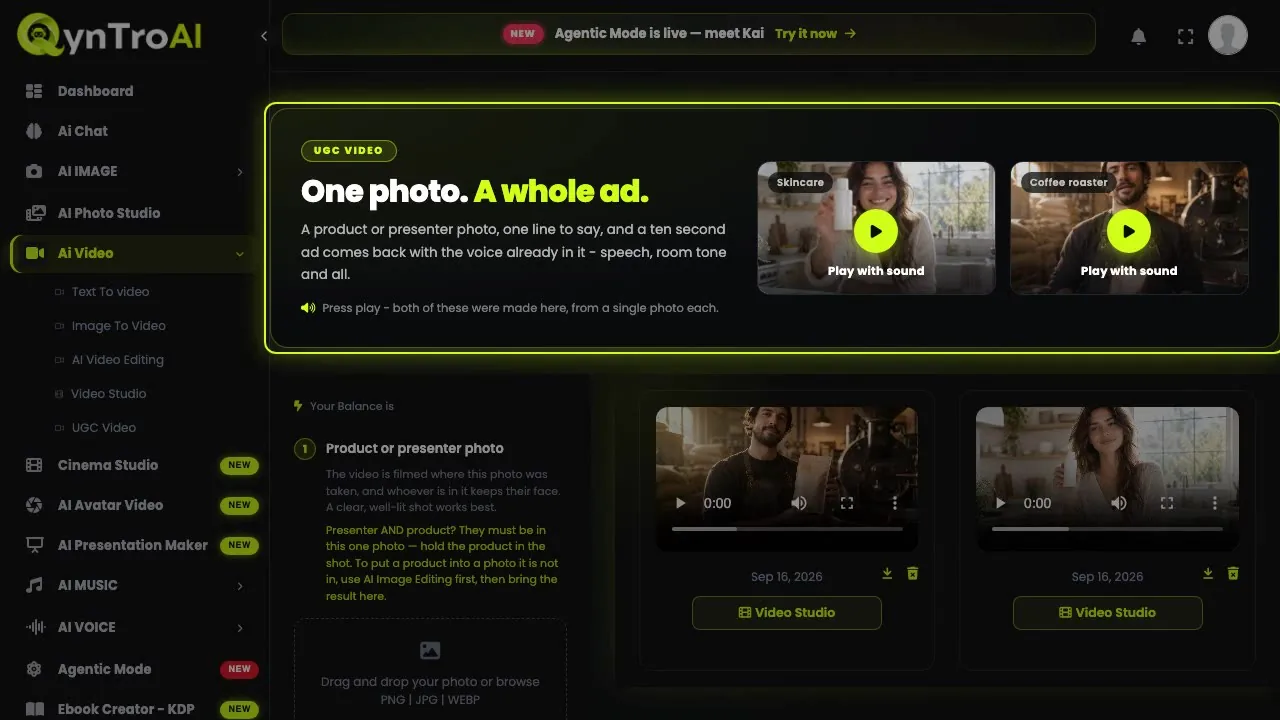
Step 1: Choose text or a photo
The rule is simple: if you care what the subject looks like, start from a photo. Describing your product in words invents one that looks roughly right; animating a photo of it keeps it exactly right, down to the label.
- Image to video: your product, your face, your character, anything that must match a real thing. Upload the still and describe how it should move.
- Text to video: a shot that does not exist yet, where nothing has to match reality.
Open text to video or image to video. You can set up a shot without an account and sign in when you are ready.
Step 2: Pick a model
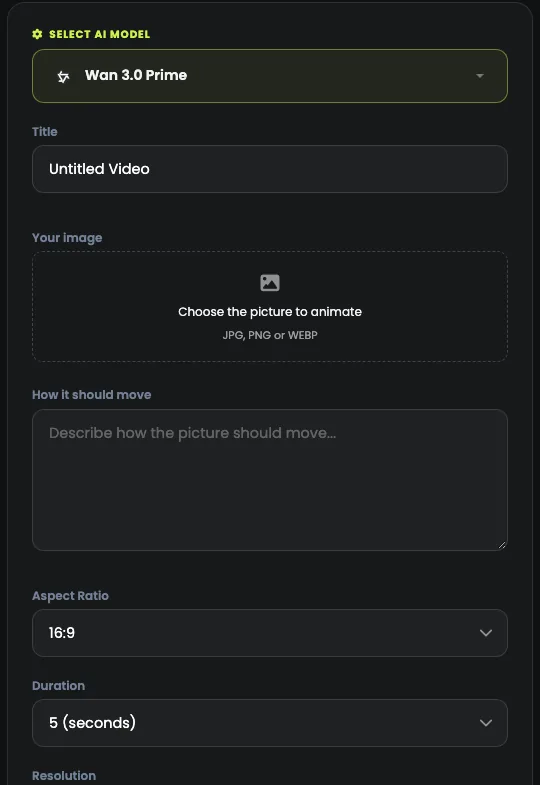
Open Select AI model. Each family has its own strengths, and the form changes with the model: lengths, resolutions and sound come and go, so check the settings again after you switch.
| Model | Made by | Good for | From (credits) |
|---|---|---|---|
| Seedance | ByteDance | ByteDance video with sound built in, from a prompt or a photo. | 115 Seedance 2.5 · 5 s clip |
| Kling | Kuaishou | Cinematic text-to-video and image-to-video, six versions. | 30 Kling 2.1 Standard · 5 s clip |
| Veo | Google's video models: sound, up to 4K, clips up to 8 seconds. | 48 Veo 3.1 Fast · 4 s clip | |
| MiniMax | MiniMax | H3 Max video up to 15 seconds and 1080p, with camera moves. | 30 MiniMax H3 Max · 5 s clip |
| Wan | Alibaba | Clips up to 30 seconds with sound, from a prompt or a photo. | 35 Wan 3.0 Prime · 5 s clip |
| Gemini Omni Flash | Google's fast video model: 720p clips with sound. | 65 Gemini Omni Flash · 5 s clip | |
| FLUX.3 | Black Forest Labs | Four FLUX image models, and FLUX.3 video up to 20 seconds. | 85 FLUX.3 Video · 5 s clip |
The honest advice: run the same short prompt through two or three models once, keep the one you like, and stop there. Each model has a page with real results, and the comparisons put them side by side.
Step 3: Write the prompt like a director
Give the model the five things it would otherwise choose for you: the camera move, the subject's motion, the setting, the light and the feel.
Slow push in. Water runs down the bottle. Wet stone and tropical leaves. Golden hour. Cinematic and calm.
From a photo, describe only the movement: the picture already sets the subject, the place and the light.
The most common mistake is asking for a story. "She walks in, picks up the bottle, smiles and pays" will not work: these models make one shot of a few seconds, and a chain of events turns into morphing hands and shifting faces. For a story, make each shot on its own and cut them together in Video Studio.
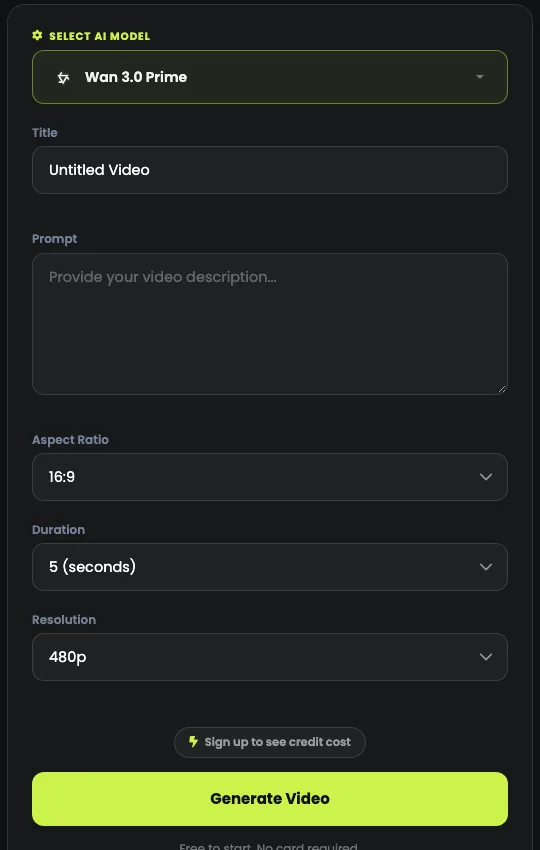
Step 4: Set the length, the shape and the quality
Choose the shape before you generate: 9:16 for Reels, Shorts and TikTok, 16:9 for YouTube, websites and slides. Cropping a wide clip to vertical afterwards throws away half the frame, usually with the subject in it.
- Length: Kling, Seedance and Gemini Omni Flash make 5 or 10 second clips, Veo up to 8, MiniMax H3 Max up to 15, FLUX.3 up to 20 and Wan 3.0 up to 30.
- Resolution and sound appear on the models that offer them, and each can change the price.
- Title: name the clip, so you can find it later.
Step 5: Check the cost, then generate
The cost of exactly what you have set is shown above the Generate button, and it changes with the model, the length and the resolution. A clip can cost as much as a dozen pictures, so read it every time.
Today a clip starts at 30 media credits, for a 5 s clip on Kling 2.1 Standard.
Press Generate and walk away: premium models and longer clips take a few minutes. If a render fails, the credits go back to your balance automatically.
Step 6: Download it, or cut it together
Finished clips appear in your library, newest first, and play in the page. Download the MP4 at full quality.
To join shots or trim them, open them in Video Studio. Download what you want to keep: generated files are kept for a time that depends on your plan.
Tips for better AI video
- Draft cheap, finish premium. Test the idea on a low-cost model or a short length, then make the keeper on the model you like best.
- One shot per prompt. For a sequence, make each shot separately.
- Change one thing at a time between runs, so you know what made the difference.
- Start from a real result. Explore shows clips made on QynTro with their full prompts: copy one and change a detail.