Step 1: Describe the music
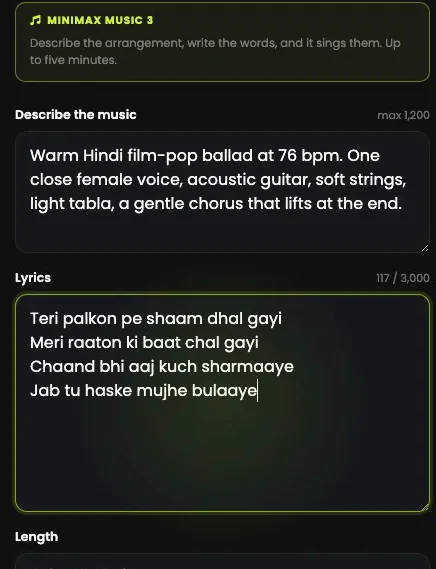
Open AI MUSIC › MiniMax, the home of MiniMax Music 3. The first box describes the arrangement, in up to 1,200 characters: the style, the tempo, the instruments and the kind of voice. Be specific: it decides whether the song sounds like a demo or a record.
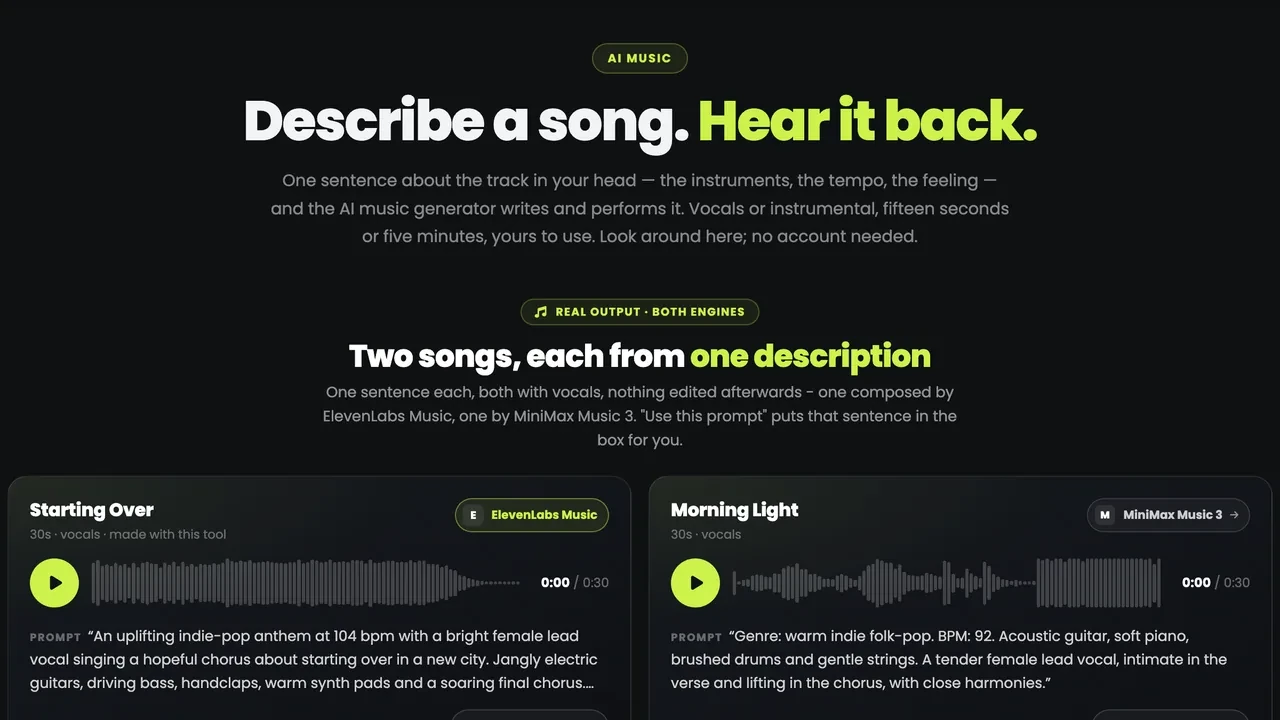
"Warm Hindi film-pop ballad at 76 bpm. One close female voice, acoustic guitar, soft strings, light tabla, a gentle chorus that lifts at the end."
Step 2: Write the lyrics
The second box is the words, up to 3,000 characters, and it sings exactly what you write, in the language you write it in: Hindi, English or anything else. Section tags such as [Verse] and [Chorus] help it follow your structure.
Both boxes are needed, because MiniMax Music 3 always sings. For an instrumental, use AI Music Pro (see making a song from one sentence).
Step 3: Pick the length and make the song
The length sets the price: 12 media credits for 30 seconds, 45 media credits for one or two minutes, and 110 media credits for three, four or five, so if you need a long song, ask for five. The length is the most it will run, and a song that comes back shorter costs the price of the length it really is: the difference goes back to your balance.
Press Generate the song. It takes a few minutes, and the finished song appears under Your songs with a player, its length and what it cost. Listen to it properly before you go on.
Step 4: Send the song to AI Music Video
Open AI Music Video. You can upload a track you own (MP3, WAV or AAC, at least 10 seconds and up to 20 MB), but you do not have to: Pick a song you have made lists your whole music library, so the song you just wrote is already there.
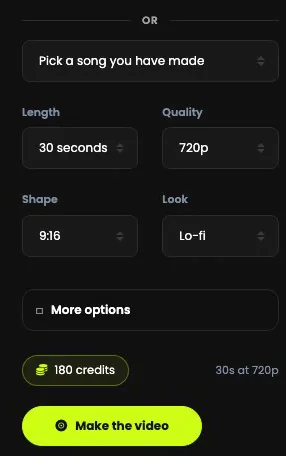
Step 5: Choose the look, the length and the shape
- Look: 15 to choose from, from Cinematic and Lo-fi to Claymation, Voxel and Retro Game.
- Length: 30 seconds or one minute of the song.
- Quality: 720p, or 1080p.
- Shape: 9:16 for Reels and Shorts, or 16:9, 1:1, 4:3 or 3:4.
| Length | 720p (credits) | 1080p (credits) |
|---|---|---|
| 30 seconds | 180 | 270 |
| 1 minute | 360 | 540 |
The price shows above the button and moves as you choose.
Step 6: Put a face and the lyrics in it
More options holds three things: a Music style, to steer the look away from what the song suggests; Who should appear, one photo of the person you want in the video (JPG, PNG or WEBP, up to 12 MB), so the same face carries through; and a Lyrics box, for words on screen.
Press Make the video. It is cut to the song's own beat and takes several minutes. Every video you make is listed beside the form, and each one opens in Video Studio to trim or join.
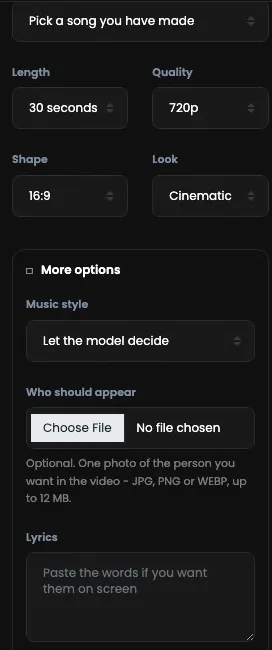
Step 7: Make a singer lip-sync it
Open Lip-Sync Video. It takes one photo of a face and one piece of audio, and makes that face sing or speak every word. Give it a clear portrait, one person facing the camera with the mouth visible, and the voice: your song, or the vocal from it.
It needs at least 5 seconds of audio, and anything after about 15 seconds is cut, so use the chorus or one strong line.
Step 8: Choose the resolution, confirm and generate
Pick 480p, 768p or 1080p, tick the box to confirm you have the right to use that face and that voice, and press Generate. It is billed by the second of voice: 5 seconds cost 30 media credits at 480p, 40 media credits at 768p and 80 media credits at 1080p, and the full 15 seconds at 768p cost 120 media credits. A failed video is refunded automatically.
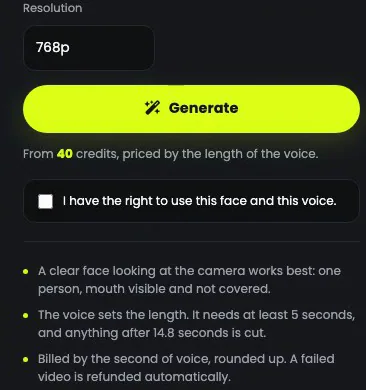
Step 9: See what the three steps make
The Hindi song from the tutorial, the music video made from it and the lip-sync are on Explore: the music video and the lip-sync, each with a button to make your own.
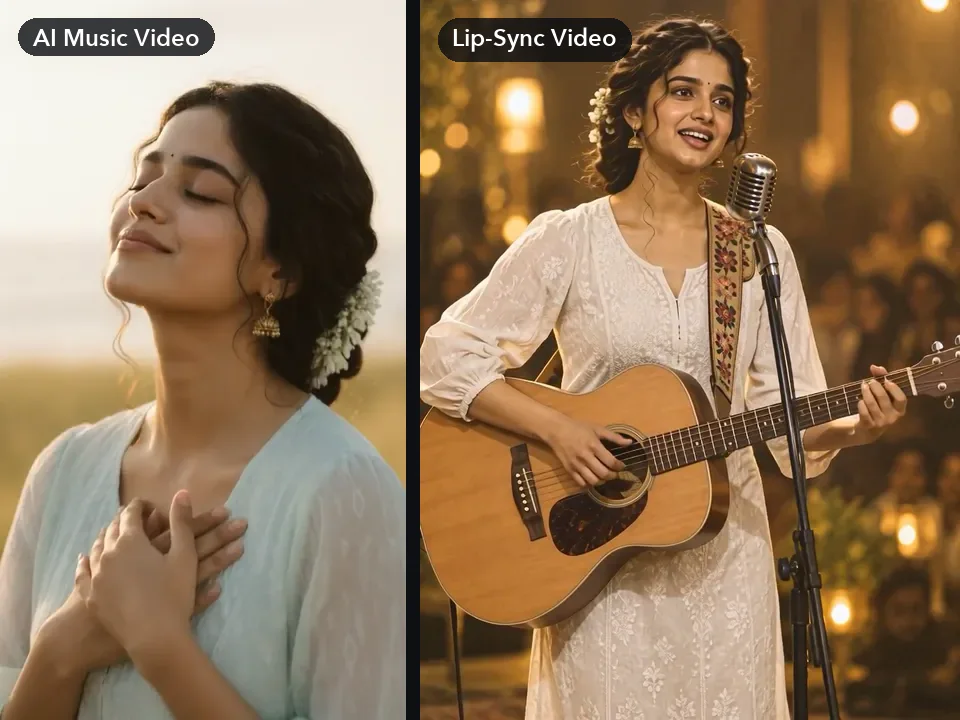
Get the song right first
- Everything inherits the song. A weak song makes a weak music video, so listen properly before you go on.
- Start short. A 30-second song costs 12 media credits; commit to a long one when the words and the voice are right.
- One strong line for the lip-sync. Ten to fifteen seconds of chorus works better than a whole verse.
- A clear face. One person, facing the camera, mouth visible and not covered.
- Only faces and voices you may use. Your own, or ones you have permission for.