Step 1: Choose the job, then the photo
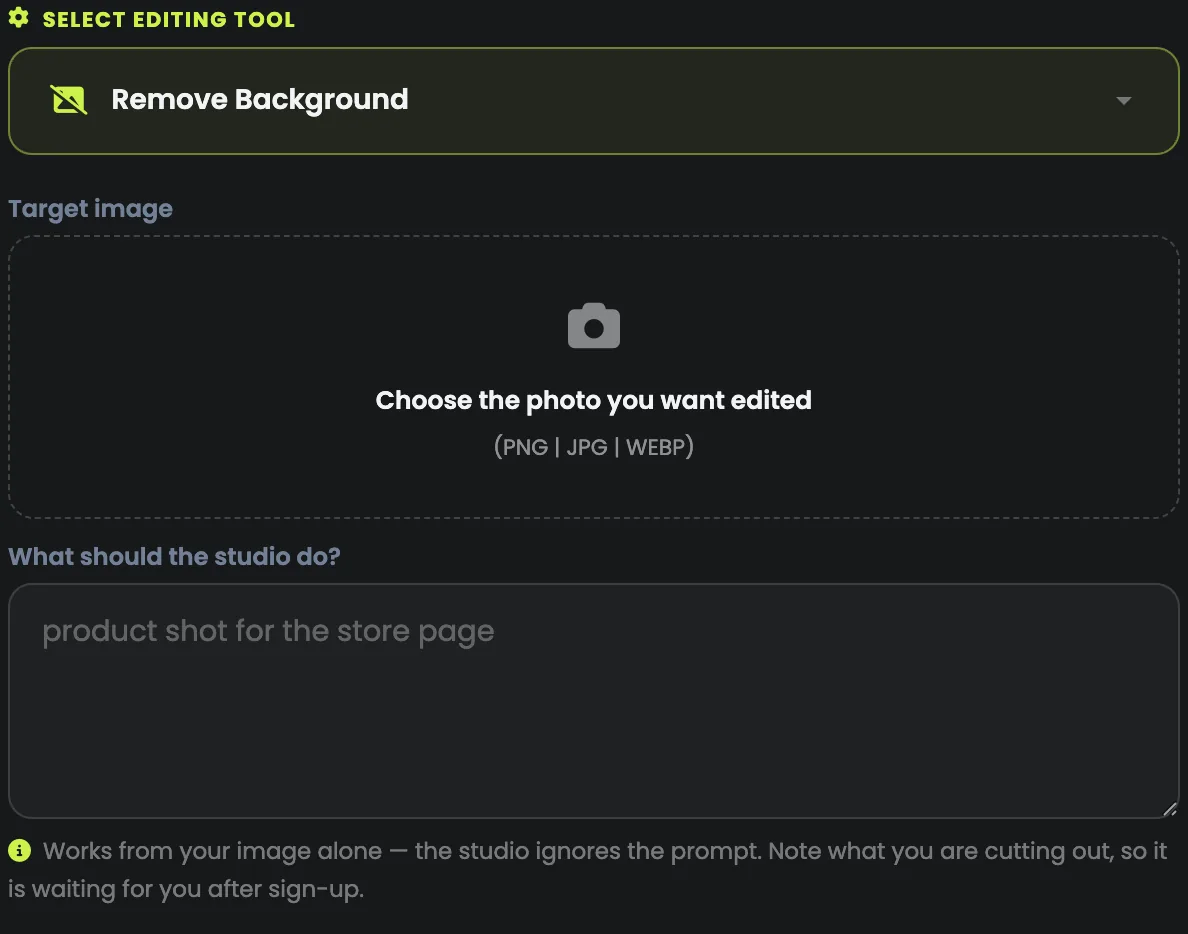
Open AI Photo Studio, choose the tool under Select editing tool, then drop in your photo. The tool is the most important choice on the page: the line under the prompt box changes with it and tells you what to write, if anything.
Start from a clean photo: a subject that is in focus, well lit and not overlapping other things gives every tool more to work with.
Step 2: Cut out the background
Choose Remove Background and upload the photo. It works from the picture alone: no prompt is needed, and the studio ignores one. It costs 5 media credits.
You get a clean cut-out for a store listing, saved to your library, with no selection tools. Hair, glass and anything see-through are the hardest edges, so a subject standing clearly against its background cuts best.
Step 3: Put the product in a new scene
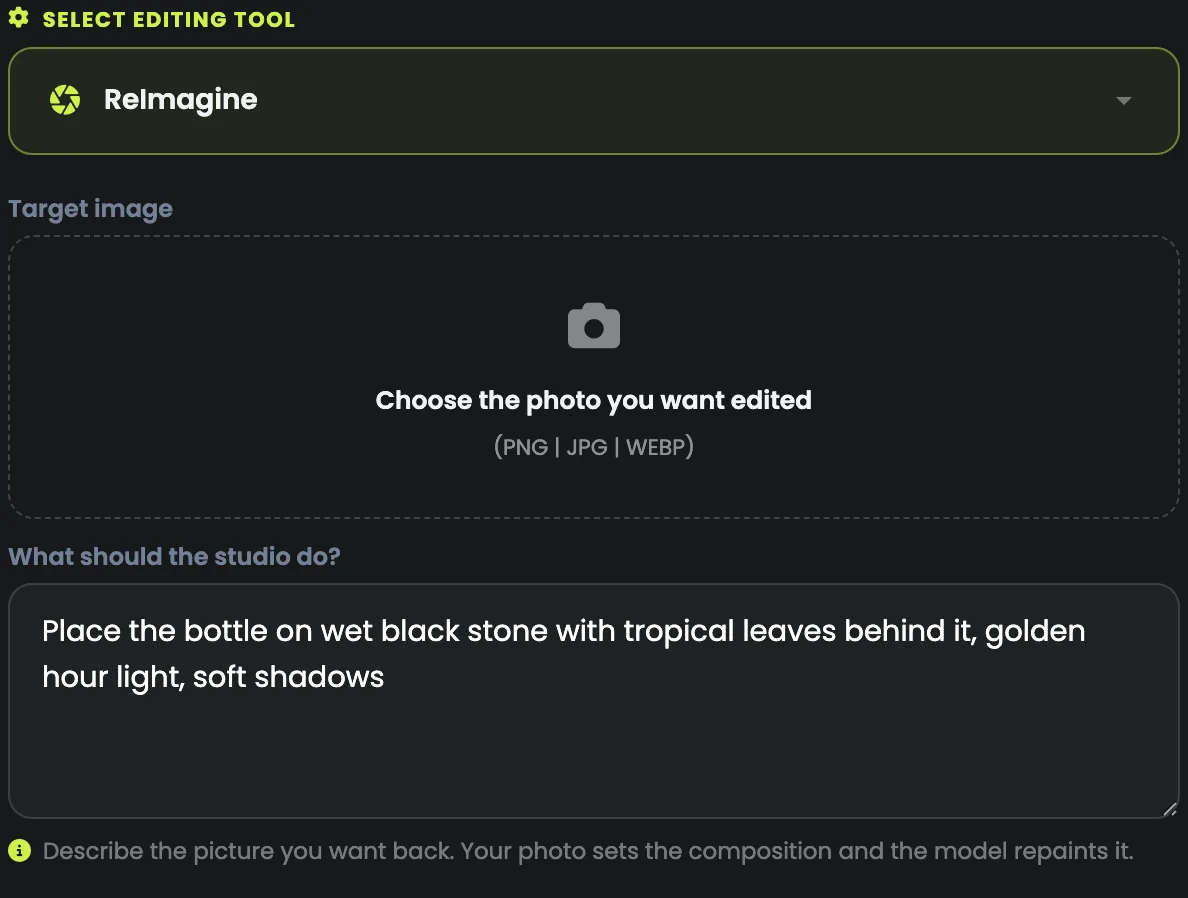
ReImagine keeps your subject and rebuilds everything around it from your description (7 media credits). Describe the new setting and the light, not the product: the photo already shows it.
Place the bottle on wet black stone with tropical leaves behind it, golden hour light, soft shadows.
Background & Relight (8 media credits) puts in a new background and changes the light on your subject to match, so it looks shot there rather than pasted in.
Step 4: Fix the frame and the colours
- Outpaint Image (5 media credits) extends the picture past its edges: turn a square shot into a wide banner without cropping the product.
- Search and Recolor (5 media credits) changes the colour of a thing you name, such as the cap of the bottle, and leaves the rest.
- Search and Replace swaps a thing you name for another: "replace the mug with a glass bottle".
Several jobs on one photo? Download the result, upload it again and pick the next tool. Each step costs its own credits.
Step 5: Enlarge it last
- Conservative Upscale (40 media credits) enlarges and stays true to the original: for real photos, where accuracy matters.
- Creative Upscale (60 media credits) enlarges and invents extra detail: for artwork and very low-quality pictures, where a faithful enlargement would only be a bigger blur.
- Fast Upscale (2 media credits) makes a small picture, under about one megapixel, four times bigger.
Upscale once, at the end, on the picture you have chosen: never on a batch you are still choosing from.
Step 6: Download it
Every result is saved to your account and listed under Documents, in All images, beside what you made in the AI Image Generator. Download what you want to keep: files are kept for a time that depends on your plan.
Which tool for which job
| Tool | What it does | Credits a picture |
|---|---|---|
| ReImagine | Keeps your subject and rebuilds the scene around it | 7 |
| Same Style Image | A new picture in the look of yours | 5 |
| Style Transfer | Your photo in the style of a second picture | 8 |
| Erase Objects | Removes something and fills the space | 5 |
| Inpaint Image | Replaces part of the picture with what you describe | 5 |
| Outpaint Image | Extends the picture past its edges | 5 |
| Search and Replace | Swaps a thing you name for another | 5 |
| Search and Recolor | Changes the colour of a thing you name | 5 |
| Remove Background | Cuts the subject out cleanly | 5 |
| Background & Relight | A new background, lit to match your subject | 8 |
| Sketch to Image | Turns a drawing into a finished picture | 5 |
| Structure to Image | Keeps the shapes, changes the style | 5 |
| Conservative Upscale | Bigger, true to the original | 40 |
| Creative Upscale | Bigger, with new detail added | 60 |
| Fast Upscale | Four times bigger, for small pictures | 2 |
| Text to Image | A new picture from words alone | 8 |
Each price is per picture, shown beside the tool before you choose it once you are signed in.